
A planning and control system for container vessel discharge and loading
Assembly built for Daniel Group a system that follows every voyage at the Port of Ashdod: from the shipping lines’ plan files, through the plan built from them and the tallymen’s work on board, to the reports and EDI files the client uses to report and bill.
The need
A container vessel calling at Ashdod carries hundreds and sometimes thousands of containers. Some are discharged at Ashdod, some stay on board for another port, and export containers are loaded into the space that opens up. Planning happens outside the port: the shipping line’s planner sends a BAPLIE file with the position of every container, each agent sends a manifest, and the port sends lists of the full and empty containers for export. These sources do not always agree, and someone has to reconcile them before work on the vessel begins.
Daniel Group’s tallymen work on board. They count, record and verify every move: which container was discharged and from which slot, whether it was damaged, whether it was shifted, and how long delays lasted. That record is the basis for reporting to agents, resolving discrepancies and billing.
The industry has stowage planning and loading computers, such as MACS3 and Navis StowMan, which calculate stability and container positions, and terminal operating systems run by port operators. Daniel Group’s system answers a different need: it was built for the company that supervises the work, records it and reports on it. So it focuses on reconciling the data sources, controlling how the plan is carried out, and keeping a record that stands up with agent, port and vessel.
How the system is built
- Windows management application: in the office, staff open a voyage, take in files, correct data, build the plan, follow the work and produce reports.
- Android tablet app: tallymen report every move from the vessel, with or without a network connection.
- API service layer: both applications use it to work with one SQL Server database. Communication is secured, and every device is identified and authorized.
The life of a voyage
- Open a voyage and choose the vessel, with a check that import and export voyage numbers are unique.
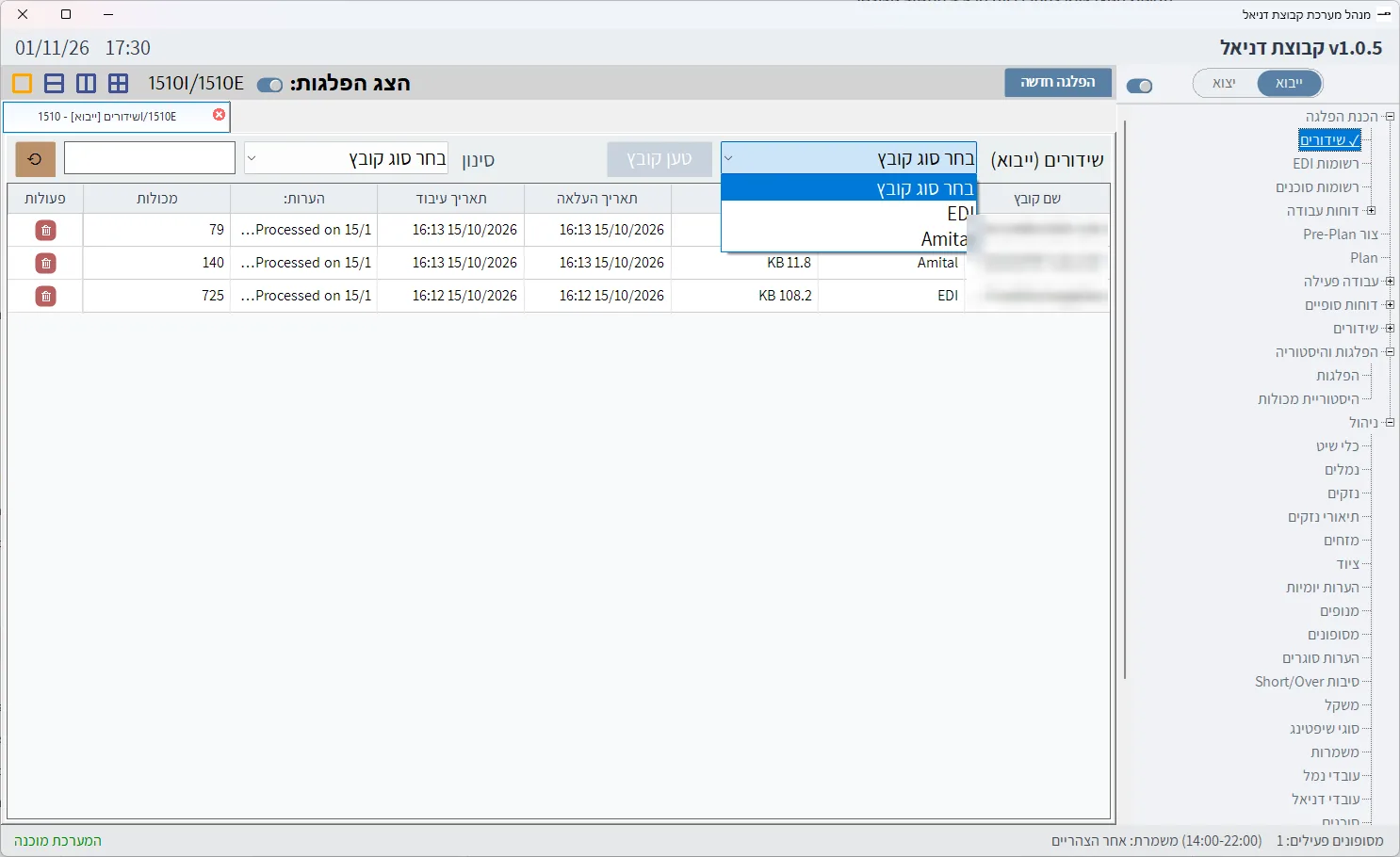
- Prepare the discharge plan from the planner’s EDI file, the Restows file and the agents’ manifests.
- Prepare the loading plan from the planner, the port lists, the reefer manifest and the dangerous goods data, up to a pre-plan sent to the ship’s officer for approval.
- Report the work on board through the tablets, also while the plan is still being prepared.
- Produce interim and final reports, and send files to agents and the port.
- Close the voyage and move it to history, where it can be restored at any time.
The system enforces the order between files: export cannot be processed before import, and a port file or manifest cannot be loaded before the EDI file for the same direction.
File intake and validation
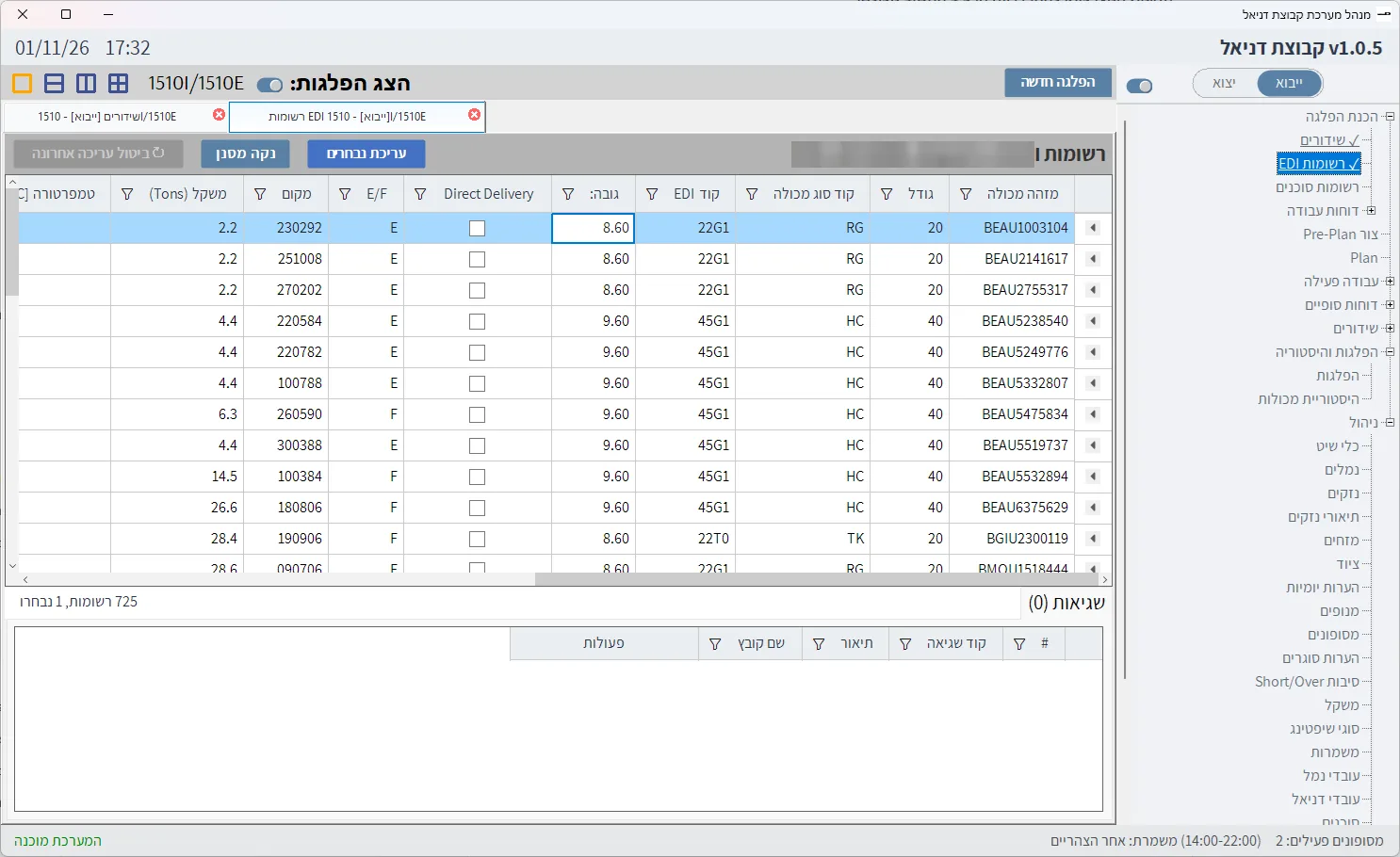
The system detects the BAPLIE standard version (SMDG 1.5, 2.0 or 2.2) and how weight is recorded, and checks every container before it enters the plan. A container with an error goes to an error table and waits to be handled:
- Weight outside the range for the container type, or an EDI code or port that is not in the tables.
- A container that appears twice, a position that does not exist on the vessel, or several containers in one slot.
- A container number that does not meet ISO 6346, including the check digit.
- A 40 ft container in a slot that cannot take one, or where one half is already taken.
When a corrected file arrives, the system updates only what changed. When a file is deleted, it restores each container from the previous file it appeared in, so deleting a correction brings back the state before it. Recurring errors, such as a non-standard port code, are handled by conversions that run before loading.
The vessel plan
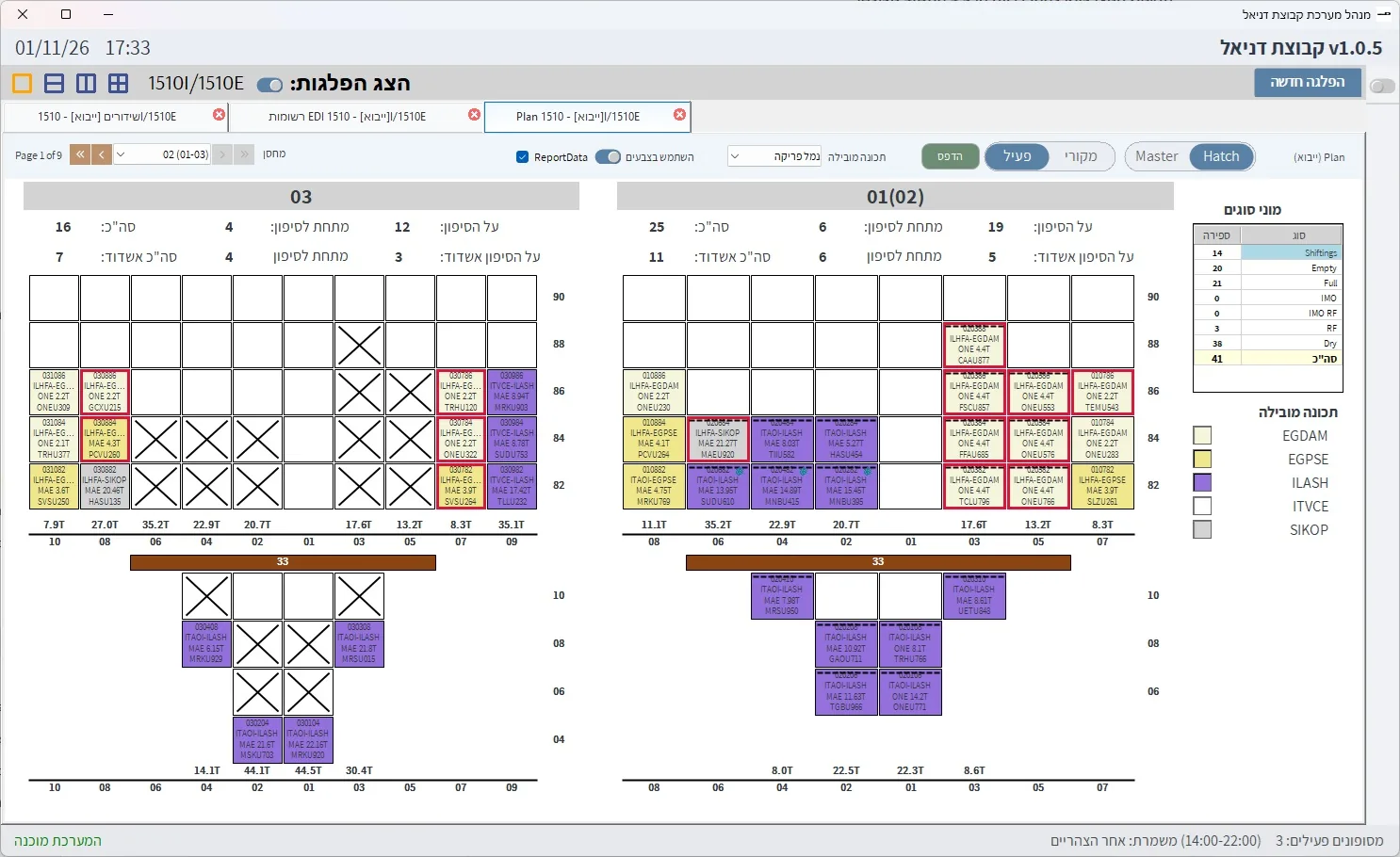
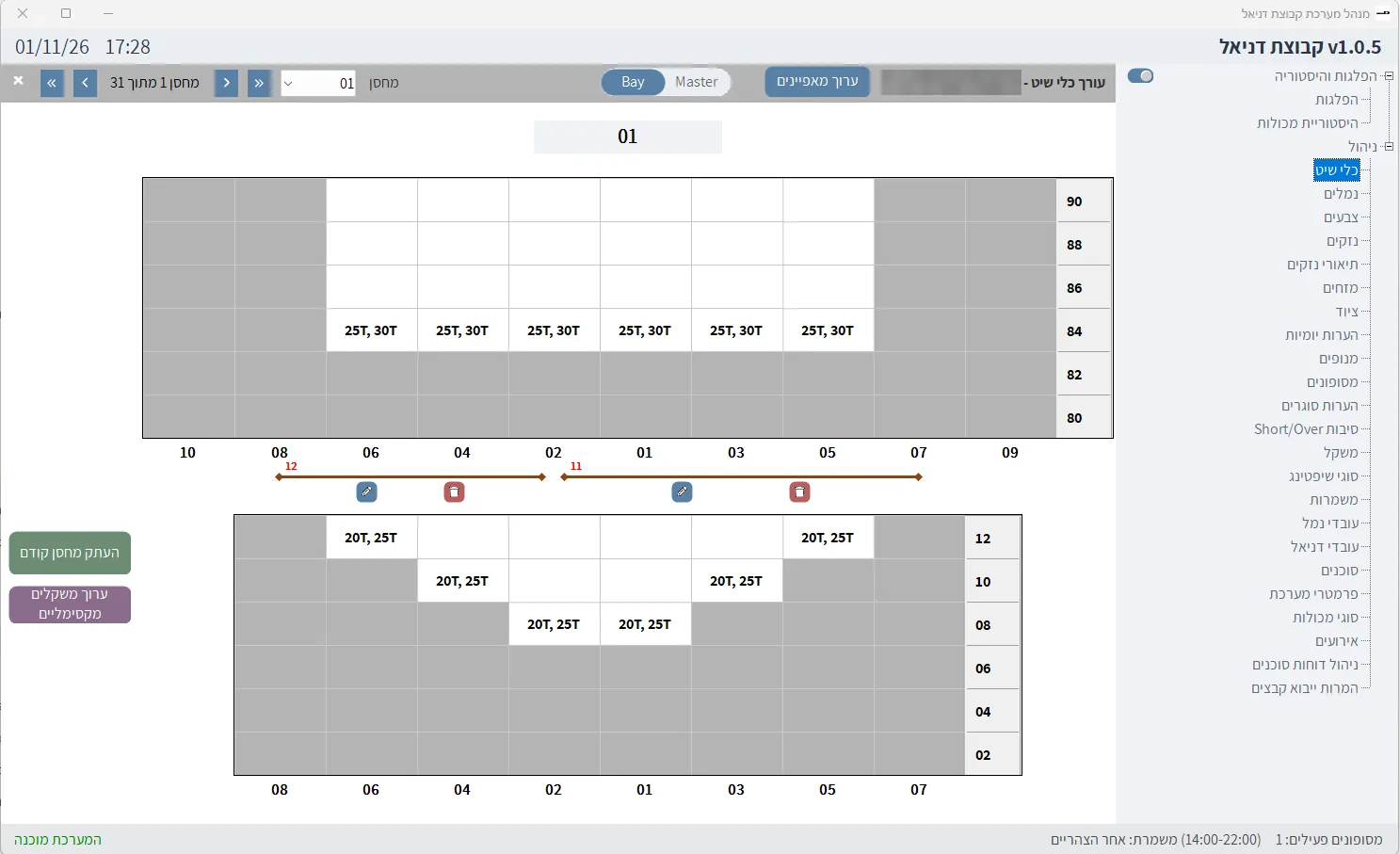
The plan page shows the vessel by bay, row and tier, either as a cross-section of two bays or as the whole ship. Each slot shows the container, ports, agent and weight, and special containers are marked: shifting, dangerous goods, high cube, reefer, and out-of-gauge cargo that blocks neighbouring slots. The user picks a leading attribute, such as port of discharge, and the system colours the whole vessel by it.
The plan warns when a stack exceeds its weight limit, when there are too many high cubes below deck, and when a container that should have been discharged is still on board. In export closing mode it compares, for every combination of size, type, destination and dangerous goods class, the plan with what the port intends to load, so gaps are fixed before the vessel sails.
The tablet on board
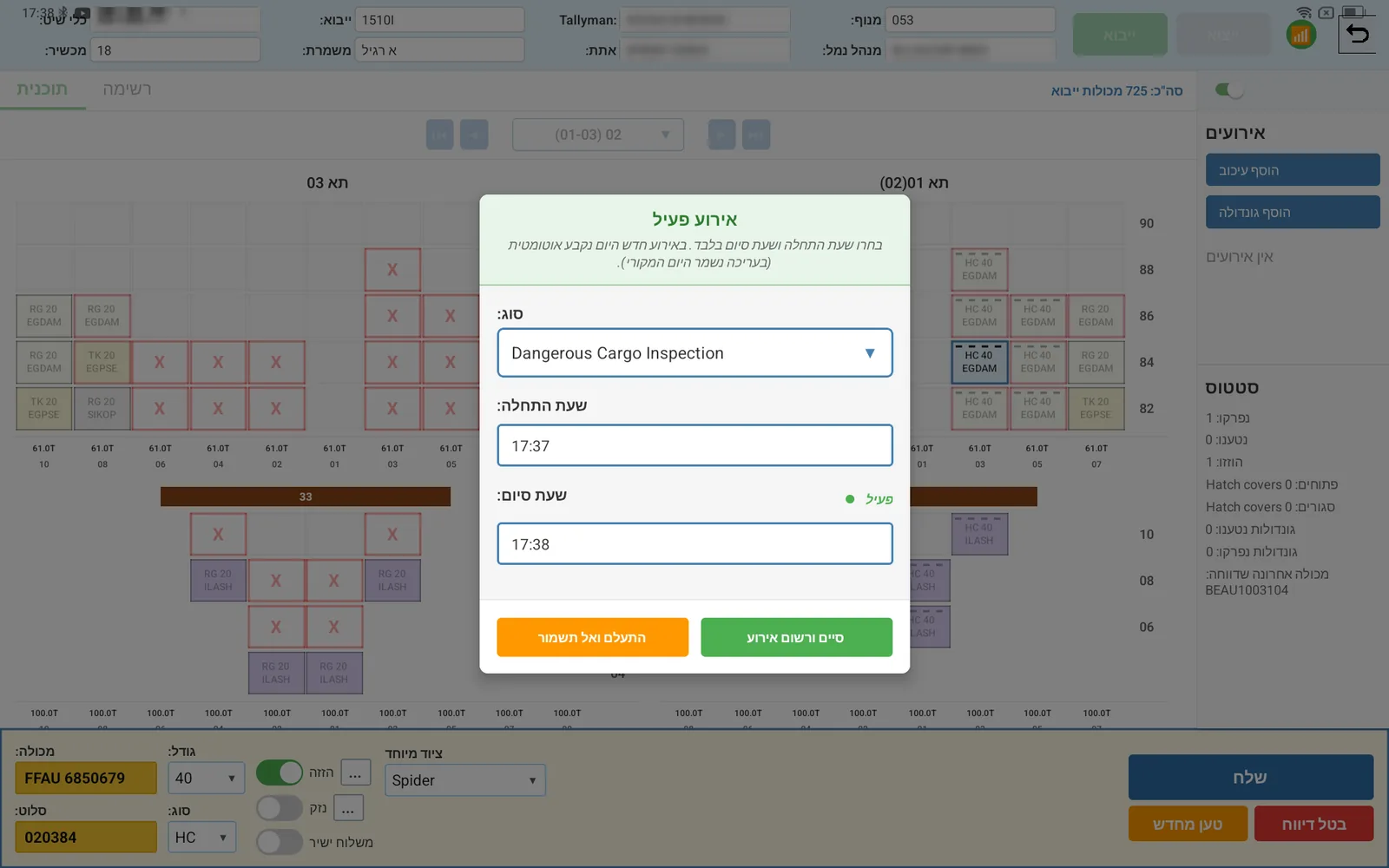
The tallyman types only the seven digits of the container number, and the system completes the prefix and the slot. A container that is not found is checked against the standard and can still be reported, because what happened on board must be recorded even when it does not match the plan. From the same screen tallymen report shifts, damage by container side with photos from the camera, special equipment and direct delivery, and record delays, gondolas and the opening and closing of hatch covers.
The tablet keeps all the voyage data in a local database. When the network drops, work continues, and when the connection returns everything recorded is sent to the server. The system never assumes data was saved: it waits for the server to confirm.
Reports and transmissions
The system produces work reports before work begins, interim reports such as a tally report per shift and a daily report, and final reports: discharge and loading lists, short/over with reasons, damage, shifting, summaries per agent and a TDR. The EDI screen produces version 2.2 files with VGM weights as required under SOLAS, and the agent screen produces each agent’s predefined report package in one click.
How the system was specified
The system replaced the client’s previous one. Requirements were written from an analysis of that system, the real files arriving from planners, agents and the port, the reports the client actually produced, and working sessions. The requirements document is a tree of 6 epics, 32 features and about 180 user stories, with more than 500 cross-references, so every screen was built and tested against a single definition of the data and the rules. This is how we work: the spec leads every stage.
The system in screenshots
Identifying details of people, vessels and files have been hidden. The interface shown is in Hebrew.
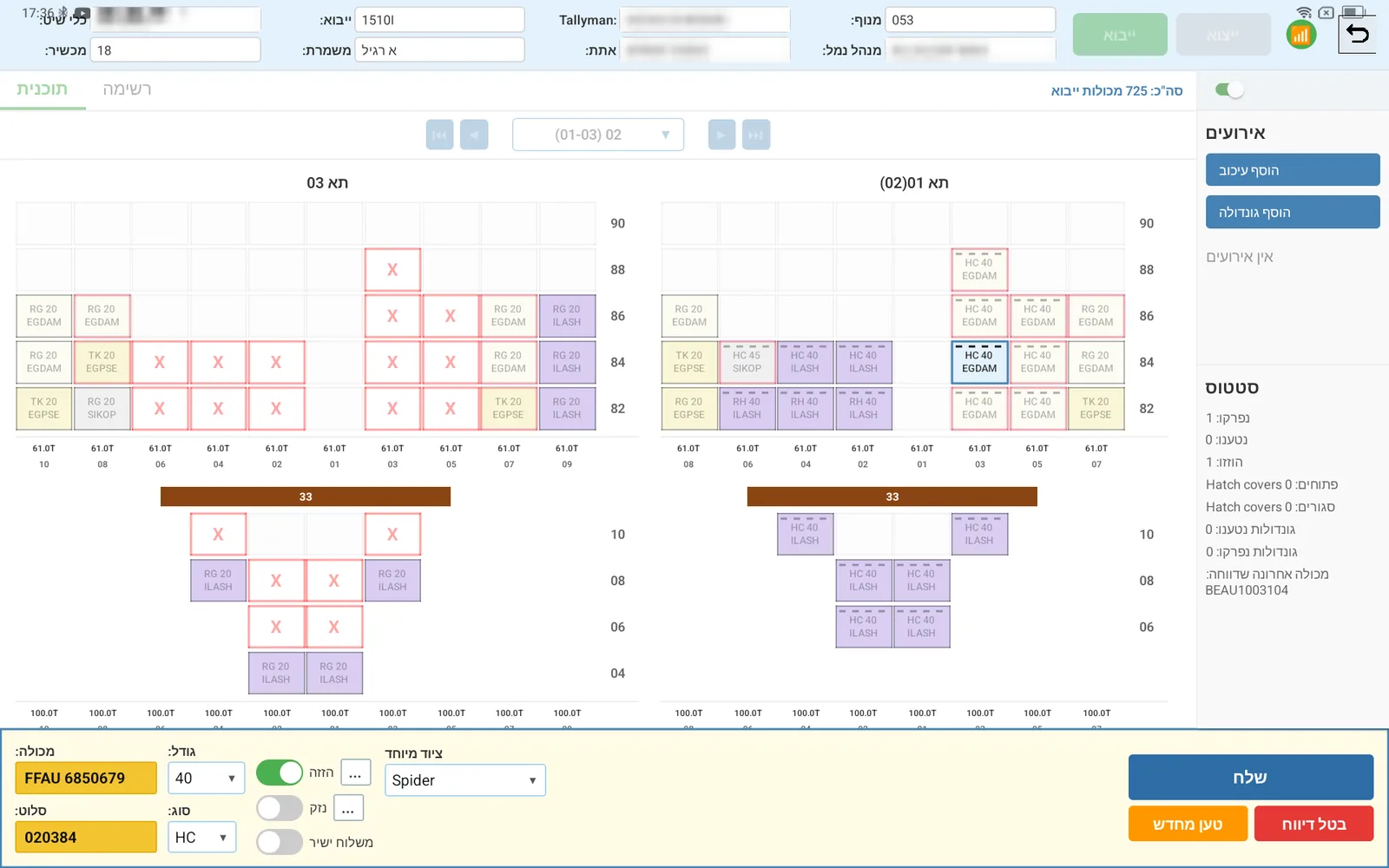
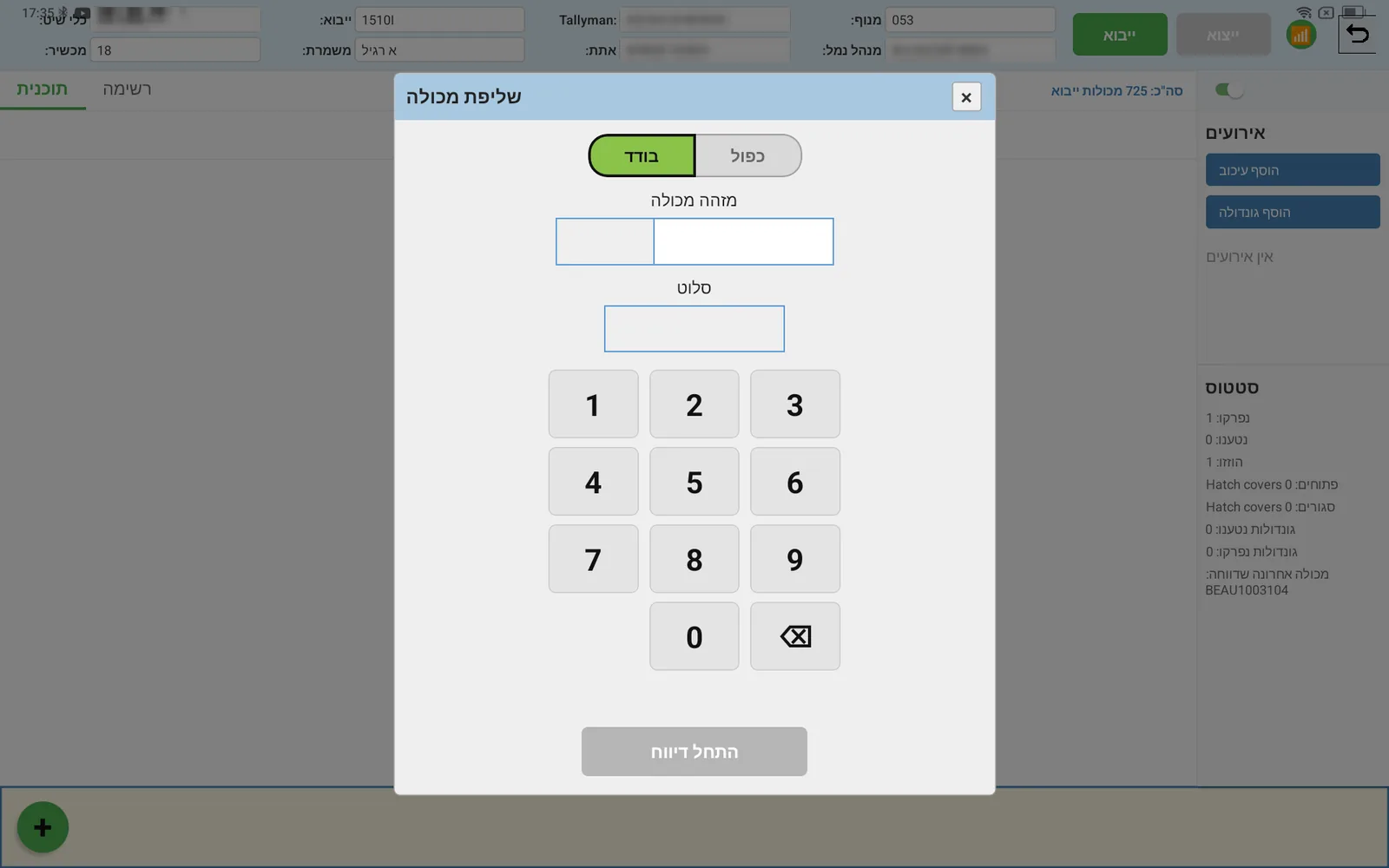
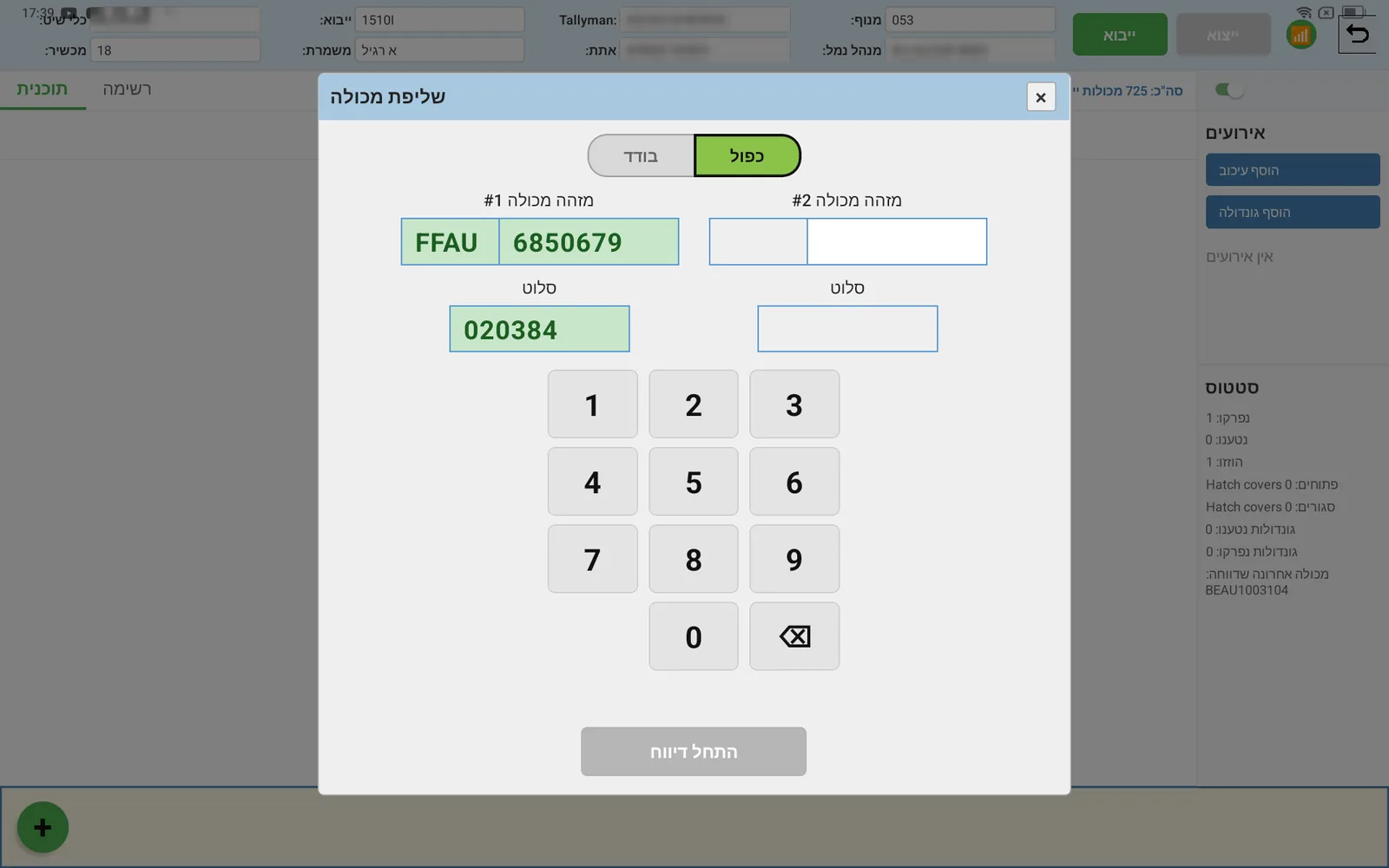
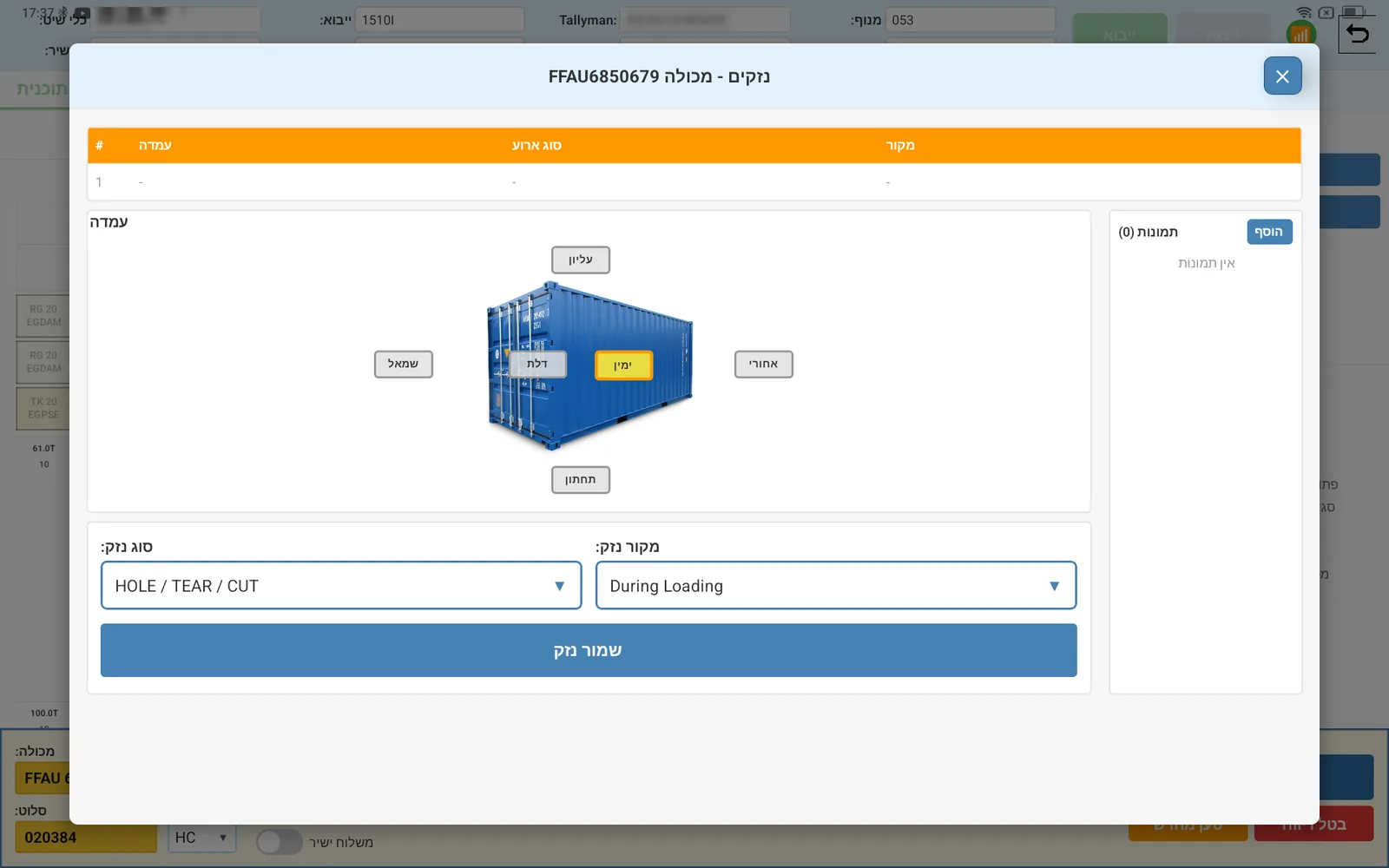
Questions about the system
How is this different from a loading computer such as MACS3?
What happens when there is no network on board?
Which files does the system read?
Can you build a system like this for our company?
Sources: SMDG, BAPLIE; MACS3; TT Club, VGM.
One hour. No commitment.
At the end you will know what we understood, which questions are open, and what the spec will cost. If we think it is not worth building, we will say that too.
Or directly: info [at] assemblyso.com